
Skip to content
Samsung Odyssey G55C 32" QHD 165Hz Curved Monitor
Premium

Best for

Trading pixel density for screen area, contrast and 165Hz

Samsung Odyssey G55C 32" QHD 165Hz Curved Monitor

The big one in this subcategory: 32 inches of 2560×1440 on a VA panel curved at 1000R, running at 165Hz with FreeSync over both HDMI and DisplayPort. The panel is the point — DisplayNinja measured 2,500:1 static contrast against the 1,000:1 an IPS like the Acer here manages, so blacks are actually black. At 92 pixels per inch it is exactly as sharp as a 24-inch 1080p screen, with far more room on it.

As an Amazon Associate, InHomeGear earns from qualifying purchases.

See price on Amazon(opens on Amazon, affiliate link)

Pros

  • ✓ 2,500:1 static contrast measured by DisplayNinja — two and a half times the Acer IPS in this subcategory, and the reason dark scenes look like night rather than grey
  • ✓ 1440p across 32 inches is 92 PPI: the same text sharpness as a 24-inch 1080p screen, with a great deal more desk space in front of you
  • ✓ 165Hz with FreeSync from 48 to 165Hz over both HDMI and DisplayPort, so it also does variable refresh on an Xbox, and works with GeForce 10-series or newer over DisplayPort
  • ✓ Input lag around 4ms in DisplayNinja's testing — imperceptible
  • ✓ Real ports for once: DisplayPort 1.4 and HDMI 2.0, plus a headphone jack, and 1080p/1440p at 120Hz for a PS5 or Xbox
  • ✓ Matte anti-glare coating that kills reflections without the grainy texture cheap coatings add
  • ✓ Joystick OSD with Black Equalizer, crosshair overlays, gamma and Auto Source Switch, plus a low blue light mode
  • ✓ 4.5★ across 2,014 ratings, and a top-twenty seller in Amazon's Computer Monitors

Cons

  • – VA response time is the price of that contrast: DisplayNinja found visible trailing behind fast-moving objects that turns into smearing in dark scenes. Tolerable for most people, disqualifying if you play fast competitive games
  • – The HDR10 badge on the listing describes what it accepts, not what it shows — no local dimming, no wide gamut and 300 nits. DisplayNinja's advice is to leave HDR switched off
  • – Turning FreeSync on locks the overdrive to a mode you cannot change, and DisplayNinja rates it worse than the 'Faster' setting available with FreeSync off. High-refresh VA panels are also prone to VRR brightness flicker, which varies unit to unit
  • – The stand tilts −2°/18° and does nothing else, and the VESA pattern is 75×75 rather than the 100×100 the two other monitors here use — check your arm before assuming it fits
  • – The listing's "1ms (MPRT)" is backlight strobing that only runs at a fixed 165Hz, and DisplayNinja recommends against it: still visible trailing, plus image duplication and less brightness
  • – 1000R is an aggressive curve. It takes adjusting to, and straight lines — spreadsheet columns, CAD, page edges — are where you notice it
  • – The 2,014 ratings are shared with the 27-inch model on the same listing, so a review may be describing the smaller, sharper screen
  • – It is not the monitor for colour work. The ASUS ProArt in this subcategory ships calibrated to Delta E under 2 with true 8-bit colour, where this one reaches 8-bit through FRC and shifts gamma slightly off-axis — and the ProArt's stand adjusts in four directions to this one's tilt

Samsung Odyssey G55C 32" QHD 165Hz Curved Monitor

Trading pixel density for screen area, contrast and 165Hz

You might also like

More picks in this category.

Acer KB272 G0bi 27" 120Hz IPS Monitor

The most screen and the most refresh rate for around a hundred dollars

A 27-inch 1080p IPS panel running at 120Hz, which is the trade this monitor asks you to make: more screen and smoother motion than the 24-inch Philips beside it, at the cost of pixel density — the same 1920×1080 stretched across 27 inches works out to 81 pixels per inch. Covers 99% of sRGB with 178° viewing angles, carries FreeSync from 48 to 120Hz, and mounts on a 100×100 VESA arm. Ports are one HDMI and one VGA.

ASUS ProArt PA278QV 27" QHD Monitor

Colour that is right out of the box, on a stand that actually moves

The one monitor here bought for accuracy rather than speed: 27 inches of 1440p IPS at 108 pixels per inch — the sharpest text in this subcategory — factory calibrated to Delta E under 2 and covering 100% of sRGB and Rec.709. The stand is the other half of the argument: 150mm of height, 90° of pivot and swivel each way, against the tilt-only stands on the other three. It runs at 75Hz, and that is the trade.

HP 24mh 24" FHD IPS Monitor

A screen that arrives, adjusts and works, with the fewest complaints of any here

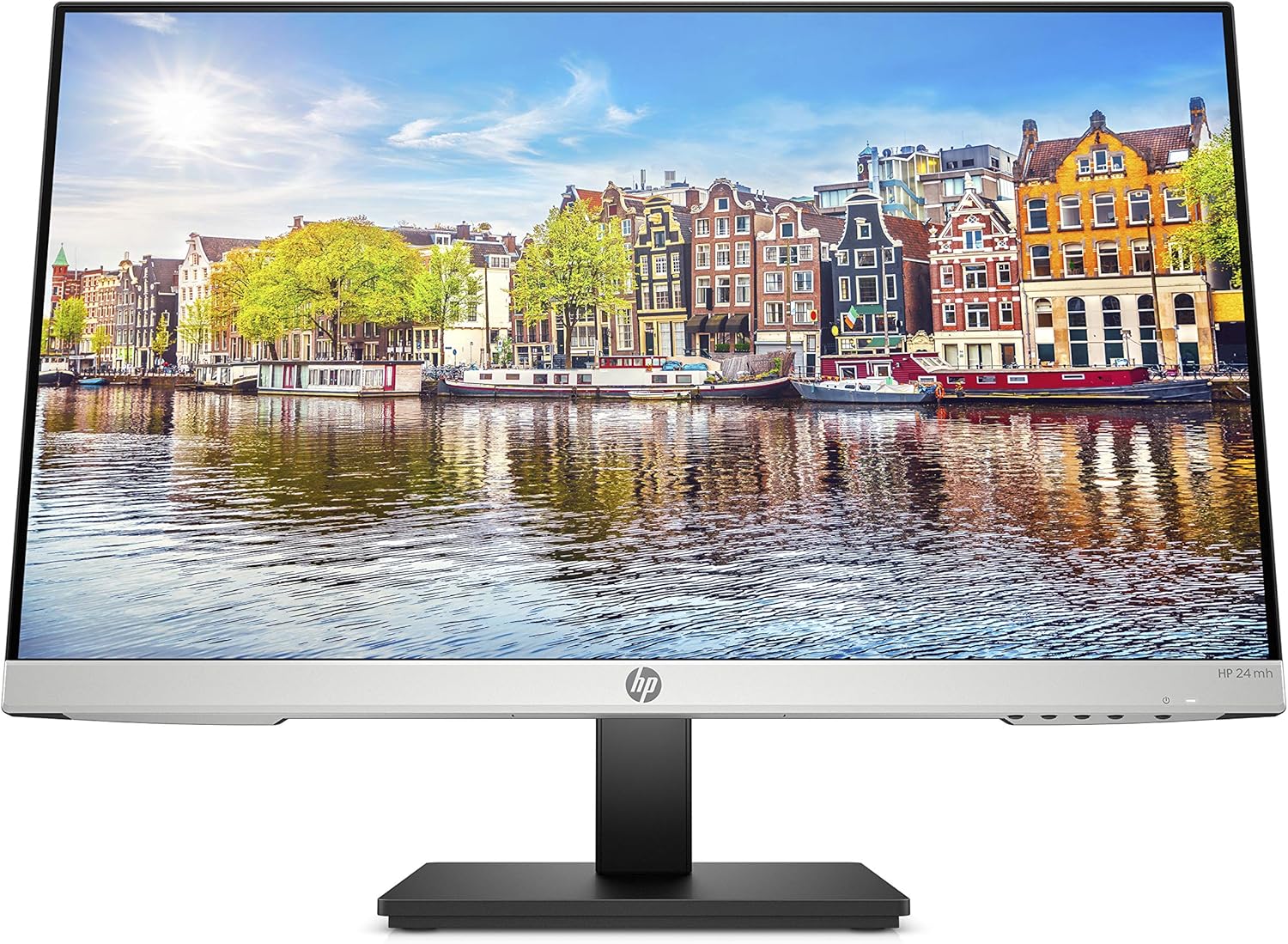
The best-reviewed monitor in this subcategory and the least exciting one: 23.8 inches of 1080p IPS at 75Hz, on a stand that raises 100mm, tilts and pivots to portrait, with DisplayPort, HDMI, VGA and a pair of 2W speakers built in. What it buys is the absence of problems — 4.7★ across 25,427 ratings with no review theme where complaints outnumber praise. What it does not buy is any headline number: no Adaptive-Sync, 250 nits, 1000:1.

Samsung Odyssey G55C 32" QHD 165Hz Curved Monitor

See price on Amazon(opens on Amazon, affiliate link)